You just bought land in West Bengal. The sale deed is registered. The seller signed everything. You paid the full amount. Done, right?
Not quite.
Registration at the Sub-Registrar’s office proves the transaction happened. But the government’s land records — the Khatian, the Record of Rights — still show the old owner’s name. Until you do mutation, the government doesn’t officially recognise you as the new owner.
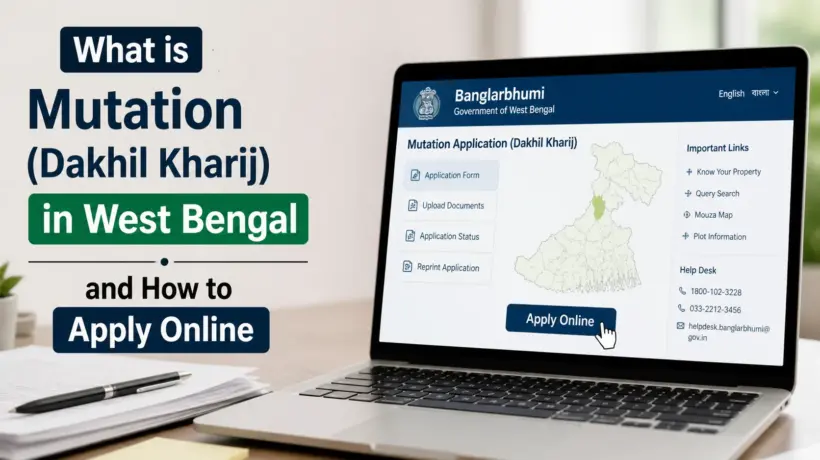
This is why mutation matters. And this is what this guide is about — what mutation (Dakhil Kharij) actually is, why you absolutely cannot skip it, what documents you need, how much it costs, and how to apply for it online through BanglarBhumi without visiting any office.
What is Mutation (Dakhil Kharij) — Explained Simply
The word Dakhil Kharij literally tells you what happens — Dakhil means “entry” and Kharij means “deletion.” So Dakhil Kharij = the old owner’s name gets deleted and the new owner’s name gets entered into the government’s land records.
In English, this process is called mutation. In Bengali it’s also called Namantaran (নামান্তরণ) or Namajari (নামজারি). All of these mean the same thing — updating the land records to show who the current legal owner is.
Think of it this way. The government has two separate records about your land:
Sale Deed (Registration)
Done at the Sub-Registrar’s office. Proves the transaction happened — that you paid money and the seller agreed to transfer the land. This is handled by the Registration department.
Khatian / Record of Rights (Mutation)
Done through BanglarBhumi. Updates the actual land records to show your name as the current owner. This is handled by the Land & Land Reforms department. Until this is done, government records still show the old owner.
You need BOTH. Registration without mutation = incomplete ownership in government records. It’s like getting a receipt for a purchase but the shop never updated their inventory. The law recognises your deed, but the land records still point to someone else.
When is Mutation Required? (It’s Not Just for Property Purchases)
Most people think mutation is only for when you buy land. Actually it’s needed in several situations:
Why is Mutation So Important — Real Consequences of Skipping It
People put off mutation thinking they’ll “do it later.” But there are real, practical problems that come up when you delay or skip mutation entirely:
Mutation Fee — How Much Does it Cost?
This confuses a lot of people because the fee depends on what type of mutation it is and where the land is located.
| Mutation Type | Area | Fee |
|---|---|---|
| Inheritance / Warish | All areas | Free (₹0) — West Bengal government has waived mutation fees for inheritance |
| Sale / Purchase | Rural / Panchayat area | ₹50 to ₹100 |
| Municipal area | ₹100 to ₹150 | |
| KMDA area (Kolkata metro) | ₹150 to ₹200 | |
| Gift deed | All areas | ₹50 to ₹200 (same structure as sale) |
Apart from the mutation fee, you’ll also need a court fee stamp of ₹10 for the application and a postage stamp of ₹5. These are small amounts. The portal calculates the exact fee when you submit your application — you’ll see the exact amount before paying.
Documents You Need for Mutation
The documents depend on WHY you’re applying for mutation — sale, inheritance, gift, or court order. Here’s the complete list by category:
For Sale / Purchase Mutation (most common):
For Inheritance / Warish Mutation:
For Gift Deed Mutation:
All documents must be uploaded in PDF format and each file must be under 2 MB. Scan them clearly before you sit down to apply — blurry or unclear scans are a common reason for delays.
How to Apply for Mutation on BanglarBhumi — Step by Step
The online mutation application on BanglarBhumi has 5 separate forms that you fill one after the other. It sounds long but if your documents are ready, the whole thing takes about 20–30 minutes.
Open banglarbhumi.gov.in and follow these steps:
Log in to your BanglarBhumi account. Use your registered mobile number and password. No account yet? Click Sign Up and register first — you’ll need a mobile number and email for OTP verification.
Go to Mutation Application. Click Citizen Services → Online Application → Mutation Application from the dropdown. Then click New Application to start fresh.
Select District, Block, and Mouza. Choose from the dropdowns carefully. Make sure you pick the correct Mouza — the one where your land actually is.
Form 1 — Particulars of the Applicant. Fill in your applicant type (Vendee/Self, Power of Attorney, or Others), your Khatian number, name, guardian’s name, full address, mode of transfer (sale, inheritance, gift, etc.), deed number, deed date, and registration details.
Form 2 — Buyer / Transferee Details. Enter the new owner’s details — name, address, caste, Aadhaar number, mobile number, email. If there are multiple buyers (like in a joint purchase), add each one using the Add button.
Form 3 — Seller / Transferor Details. Enter the seller’s (or previous owner’s) details. Click Add to add them to the table. For inheritance cases, this would be the deceased person’s details.
Form 4 — Plot Details. Enter the Dag (Plot) number and the area being transferred. Click Add Record to add it. If you’re buying multiple plots in the same Mouza, add each one separately.
Form 5 — List of Enclosures (Document Upload). Upload all your documents one by one in PDF format, each under 2 MB. The documents required are registered sale deed, chain deeds, and latest Khajna receipt at minimum. For inheritance, add death certificate and legal heir certificate.
Read the SoP and submit. Before submitting, read the Standard Operating Procedure for Mutation Disposal shown on screen. Then complete the captcha, tick the self-declaration box, and click Submit.
Note your Case Number immediately. After submission, a unique Case Number is generated on screen. Write it down or screenshot it right now. This is what you’ll use to track your mutation status. Do not close the page without noting it.
Pay the mutation fee. Go to Citizen Services → Online Application → Fees Payment. Select Mutation as the request type, enter your application number, view the calculated fee, and pay through UPI, net banking, debit card, or credit card via the GRIPS gateway.
Download the payment receipt. After successful payment, your GRN (Government Reference Number) is generated. Download the receipt immediately — it’s your payment proof. Save both the Case Number and GRN together.
What Happens After You Submit — The Process Explained
A lot of people submit the mutation application and then have no idea what’s happening behind the scenes. Here’s what the BLLRO office actually does after you submit:
Initial scrutiny. The BL&LRO office receives your application and does an initial check — are all documents present? Is the information consistent? If something is missing or wrong, they may return the application to you at this stage.
Public notice period. The office may issue a public notice for 15 to 30 days inviting any objections from third parties — neighbours, other family members, anyone who claims a competing interest in the land. If nobody objects in this period, the process moves forward.
Hearing (if required). For more complex cases — disputed land, inheritance cases with multiple heirs, or when someone files an objection — the officer schedules a formal hearing. You’ll be notified on your registered mobile number. Attend this hearing at the BLLRO office on the date given.
Field verification (if required). For some cases, a revenue officer may visit the actual land to verify the details match the records. This is more common for large plots or disputed cases.
Approval and record update. If everything checks out, the officer approves the mutation. Your name gets entered into the Khatian and the old owner’s name is removed. Your updated Record of Rights now shows you as the legal owner in government records.
Download your mutation certificate. Go to Citizen Services → Service Delivery → Application Receipt/Reprint → select Mutation → enter your application number. Download the certified mutation order as a PDF. Print and keep it safe.
How to Track Your Mutation Application Status
You don’t have to guess what’s happening with your application. Check the status anytime from home:
Log in to BanglarBhumi and go to Citizen Services → Online Service Status → Mutation Status.
Search by Case Wise (enter your Case Number), Deed Wise (enter deed number from sale deed), or Location Wise (district/block/mouza + seller/buyer name).
Current status appears on screen — Submitted, Under Process, Hearing Scheduled, Approved, or Rejected.
For a complete guide to all status types and what to do when mutation is stuck, read our detailed article on how to track BanglarBhumi application status online.
How Long Does Mutation Take?
Under the West Bengal Public Services Guarantee Act, mutation is supposed to be processed within 21 days of application. In reality:
If it’s been more than 28 days and status is still showing “Pending” with no hearing notice — file a Public Grievance on BanglarBhumi or visit your BLLRO office with the Case Number.
What is a Warish Application — and How is it Different from Mutation?
This is a question that comes up a lot with inheritance cases.
A Warish Application is a transitional step specifically for legal heirs when a landowner dies. It records the names of legal heirs in BanglarBhumi temporarily — before the full mutation is completed. It prevents unauthorized transactions during the period between the owner’s death and the completion of mutation.
Think of it as a placeholder. You file a Warish Application to establish who the heirs are, and then follow up with a full mutation application to permanently update the Khatian.
Warish Application is filed through BanglarBhumi under Citizen Services → Online Application → Warish Application.
Common Reasons Mutation Gets Rejected
Most rejections are avoidable. These are the real reasons applications come back: