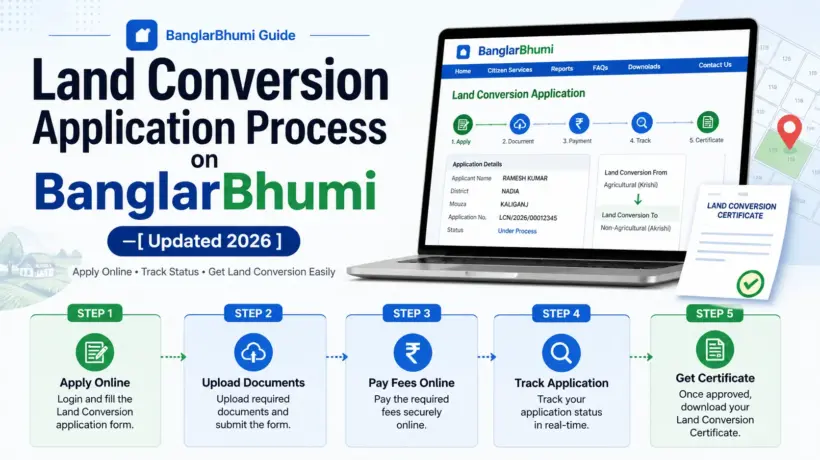
If you own agricultural land in West Bengal and want to use it for building a house, running a business, or any non-agricultural purpose — you need to apply for land conversion first. Using agricultural land for non-agricultural purposes without this approval is illegal under the West Bengal Land Reforms Act, and can cause serious problems when you try to sell or get a loan against the property later.
The good news is that you can apply for land conversion completely online through BanglarBhumi — no need to visit any office to submit the application.
Who Can Apply for Land Conversion?
Documents You Need Before Starting
Keep all of these ready in PDF format, each file under 2 MB, before you start the application:
How to Apply for Land Conversion on BanglarBhumi
Log in to BanglarBhumi — Go to banglarbhumi.gov.in and sign in with your registered mobile number and password.
Go to Conversion Application — Click Citizen Services, then Online Application, then Conversion Application.
Fill in applicant details — Select your applicant type (Vendee/Self, Power of Attorney, or Others). Enter your Khatian number, full name, guardian’s name, address, mobile number, email ID, Aadhaar number, gender, and caste. Also specify the purpose of conversion (residential, commercial, industrial) and the new land classification you’re applying for.
Enter land plot details — Select your District, Block, and Mouza. Enter the Plot (Dag) number and the area of land you want to convert.
Upload your documents — Upload all required documents one by one in PDF format. Each file must be under 2 MB. Double-check everything — missing documents are the most common reason for rejection.
Read the SoP and submit — Before submitting, read the Standard Operating Procedure for Conversion Disposal that appears on screen. Complete the captcha, tick the self-declaration box, and click Submit.
Note your Application Number — After submission you’ll receive an Application Number. Write it down immediately — you need it to pay the fee and track the application.
Pay the conversion fee — Go to Citizen Services, then Online Application, then Fees Payment. Select Conversion, enter your Application Number, view the fee amount, and pay through UPI, net banking, or debit/credit card via the GRIPS gateway. Download the receipt immediately.
How to Track Your Conversion Application
After submitting, you can check your application status anytime:
Log in and go to Citizen Services, then Online Service Status, then Conversion Status.
Search by Plot Wise or Khatian Wise. Select your District, Block, and Mouza, enter the plot number and captcha, then click Submit.
The status will show as Pending, Under Review, or Approved.
How Long Does It Take?
Typically 30 to 90 days depending on the district, the type of conversion, and whether physical verification is required. Applications for industrial use usually take longer because they need additional clearances including the Pollution Control Board NOC.
What If Your Application Gets Rejected?
Common reasons for rejection:
If rejected — correct the issue and resubmit. If you believe the rejection is wrong, file an appeal with the local land revenue office or raise a grievance on BanglarBhumi under Public Grievance, then Grievance Application.